CONDITION REPORTS FOR QUEENSLAND PROPERTY MANAGERS
Film it.
Sign it.
↑ that’s the whole job now.
Scopeme turns a phone walkthrough into a finished condition report. Defects found, photographed and written up. You check it, make the calls, and sign.

The clipboard had
a good run.
THE OLD WAY
- Notes scribbled on a clipboard
- Hundreds of photos to sort and rename
- Typing it all up after hours
- Hunting for the photo that shows the stain
- “Marked. Scuffed. Marked.” on repeat
WITH SCOPEME
- Film the walkthrough on your phone
- The best photo picked for every finding
- A draft written for you, room by room
- A plain-English description of every finding
- You review, decide and sign
Three screens.
One signed report.
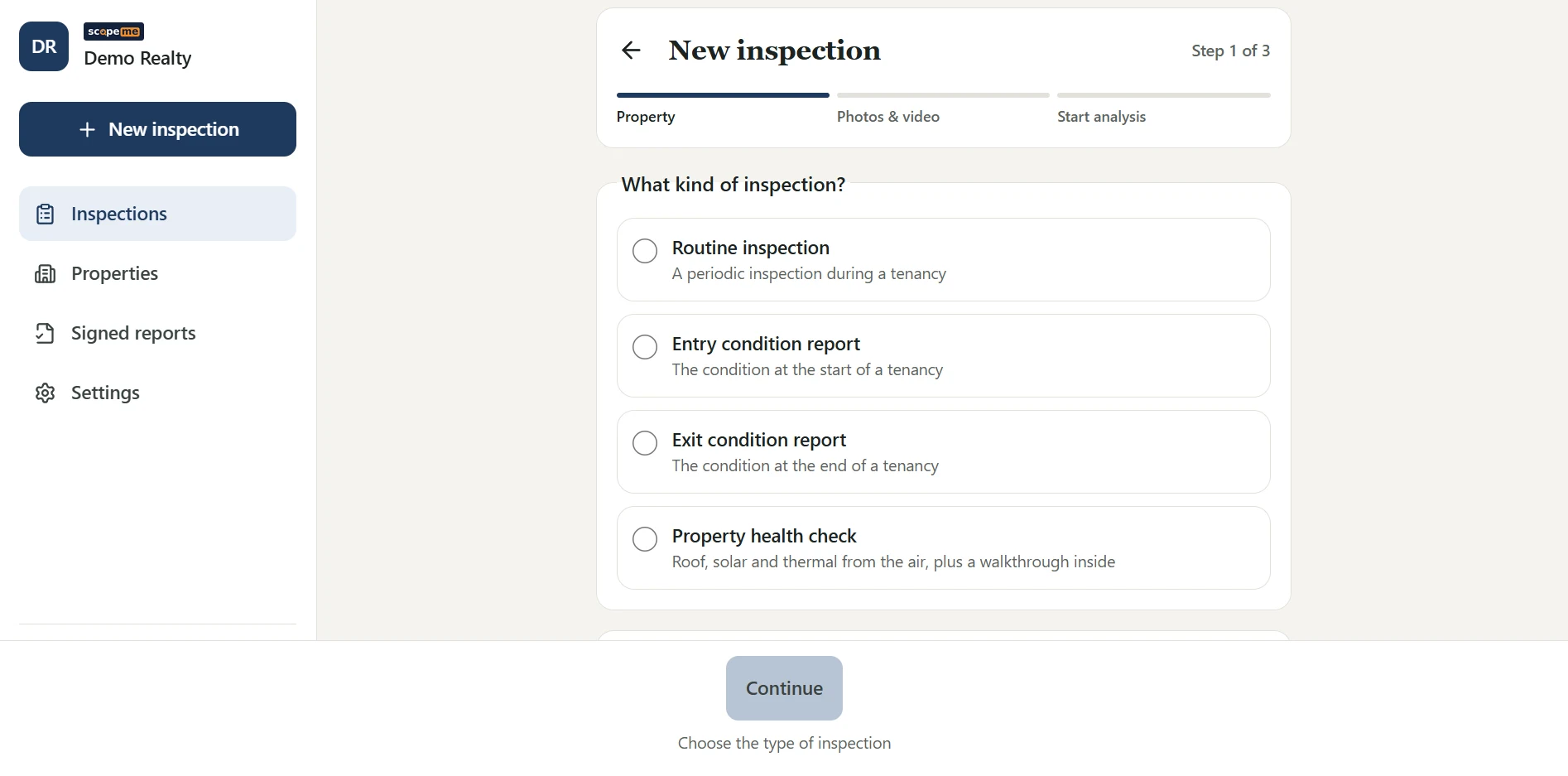
These are the actual screens from a test walkthrough, not mock-ups. Upload, review, sign.
Film it, then upload.
Record in the app or upload a video from your phone. Walk slowly, get close to anything that looks wrong, step back to show where it is. That’s the training.

Review every finding.
Each one has its photo, the moment in the video, a plain-English description and a suggested action. Confirm it, edit it, move it to the tenant’s list, or dismiss it. One tap blurs anything personal.
Sign it. Send the PDF.
Your whole portfolio in one list: what’s ready for review, what’s urgent, what’s signed. Signed reports get a reference code so anyone can check later that nothing changed.

Your name’s
on it.
So it’s your call.
fair wear & tear? you decide.
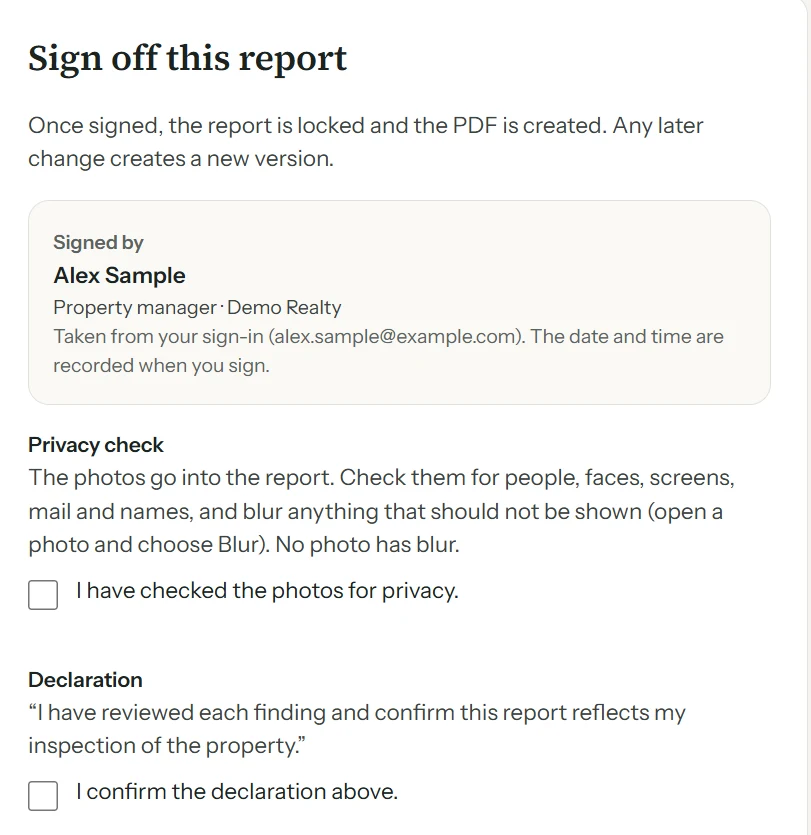
- 01Suggestions, never assumptionsFair wear & tear is suggested, and only your decision prints. You can’t sign until every one is decided.
- 02Nothing quietly droppedFindings are never merged or removed behind your back. Possible duplicates are flagged for you to choose.
- 03Contradictions caughtIf a finding’s category, severity and action don’t line up, you hear about it before you sign.
- 04A report you can stand behindEvery edit is logged, and the signed PDF carries a reference code so anyone can check it hasn’t been changed.
ROOF HEALTH CHECKS
See the roof.
Skip the ladder.
A drone pass over the roof, alongside your walkthrough inside. Roof and inside in one combined report is coming.
Fly drones for a living? Tell us in the form below. We’re looking at roof reports from pilots’ own footage.
illustration: roof findings from a drone pass
FOR LISTINGS
Selling? Hand buyers
a health check.
List with the roof and the property already checked. A drone pass over the roof, plus a walkthrough inside, written up and signed off by your agent, ready to share with buyers.
Built for homes people live in.
Get in
early.
We’re opening Scopeme to a small group of Queensland agencies first. Pilots start in the coming weeks, and enrolments are open now. Pilot agencies get:
- ✓ Set-up and training with your team
- ✓ A direct line to the people building it
- ✓ A real say in what gets built next
- ✓ No automatic charges when the pilot ends
email jimmy@scopeme.com.au or call 0447 594 020.
Fair questions.
Does it replace the inspection?
No. You still attend and walk the property. Scopeme replaces the typing and photo sorting afterwards.
Who makes the final call on each finding?
You do. Categories like fair wear & tear are suggestions until you confirm or change them, and the report can’t be signed until you have.
Do I need a drone?
Only for roof health checks. Entry, exit and routine reports just need your phone.
What phone do I need?
Scopeme runs in your phone’s web browser, so there’s nothing to install. A full list of tested phones and browsers is coming. Email jimmy@scopeme.com.au or call or text 0447 594 020 and we’ll confirm yours.
Where is our data kept?
Files are stored in Sydney. Some processing happens overseas; our privacy policy lists where and why.
What will it cost?
Pilots start in the coming weeks. Pilot agencies get a founding price, locked in for the first 12 months. Tell us your portfolio size in the sign-up form and we’ll send you the numbers.